
Stop Sending the Same Message to Everyone
Use Audience Segmentation to Make Your CRM Smarter
Not every contact in your CRM has the same relationship with your business.
Some are new leads.
Some are ready to buy.
Some are existing clients.
Some haven't responded in months.
Some may be interested in completely different services.
Your CRM can help you identify these groups and communicate with them differently.
Watch the quick lesson below to see how it works.

Learn how to organize your contacts into useful audiences—and discover how segmentation can make your campaigns and automations more relevant.
who we serve
Real support for real business owners, who are done doing it all themself
We work with small service-based businesses that rely on leads, conversations, and follow-ups — but feel overwhelmed by systems, manual work, and too many tools that don’t talk to each other.
If everything still lives in your head (or WhatsApp, notes, and spreadsheets), you’re in the right place.

Service-Based Businesses
You work with clients one-on-one or in small teams and missed follow-ups, forgotten appointments, or messy communication.

Growing Teams
You’re growing, but don’t want to add chaos or hire more people just to stay organized.

Consultants & Professionals
You have great conversations — but need a system that turns them into clients, follow-ups, and repeat business automatically.

Entrepreneurs Scaling Up
You want to grow with clarity and control — not burnout, chaos, or dependency on memory.
What changes when your system finally works the way you do
This isn’t about trends or theory.
It’s what consistently happens when small service business owners stop forcing themselves into generic tools — and get a system built around their real workflow.
You stop keeping everything in your head
Follow-ups and reminders happen automatically
You recover time, leads, and peace of mind
When your CRM fits how you actually work — instead of forcing you to adapt — everything starts to feel lighter and more controlled.
Your Database Isn't One Audience
Imagine sending the same email to:
Someone who became a lead yesterday.
Someone who purchased from you last week.
Someone who hasn't responded in a year.
Someone interested in a completely different service.
Technically, you can.
But should you?
Probably not.
The more your CRM understands about a contact, the more intelligently you can decide what happens next.
That's the purpose of segmentation.
who we serve
Real support for real business owners, who are done doing it all themself
We work with small service-based businesses that rely on leads, conversations, and follow-ups — but feel overwhelmed by systems, manual work, and too many tools that don’t talk to each other.
If everything still lives in your head (or WhatsApp, notes, and spreadsheets), you’re in the right place.
Service-Based Businesses
You work with clients one-on-one or in small teams and missed follow-ups, forgotten appointments, or messy communication.
Growing Teams
You’re growing, but don’t want to add chaos or hire more people just to stay organized.
Consultants & Professionals
You have great conversations — but need a system that turns them into clients, follow-ups, and repeat business automatically.
Entrepreneurs Scaling Up
You want to grow with clarity and control — not burnout, chaos, or dependency on memory.
What changes when your system finally works the way you do
This isn’t about trends or theory.
It’s what consistently happens when small service business owners stop forcing themselves into generic tools — and get a system built around their real workflow.
You stop keeping everything in your head
Follow-ups and reminders happen automatically
You recover time, leads, and peace of mind
When your CRM fits how you actually work — instead of forcing you to adapt — everything starts to feel lighter and more controlled.
What Is Audience Segmentation?
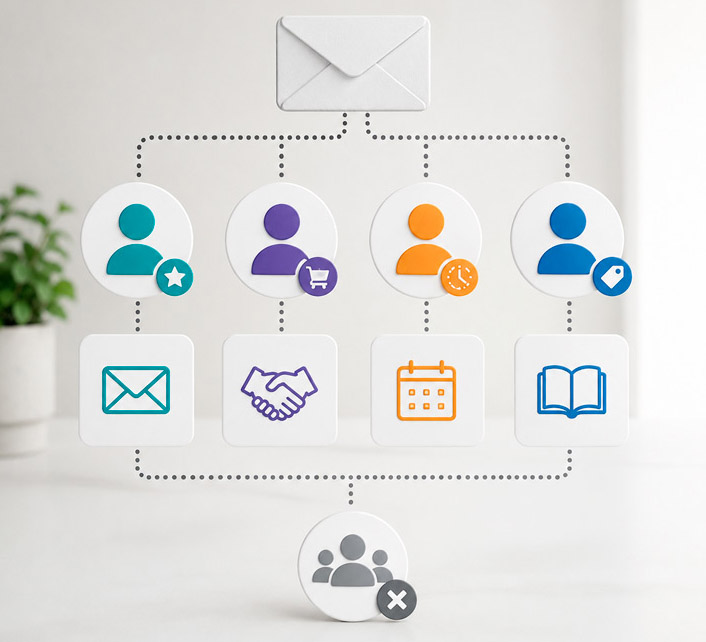
Audience segmentation simply means organizing contacts into meaningful groups so your business can communicate and follow up differently with each one.
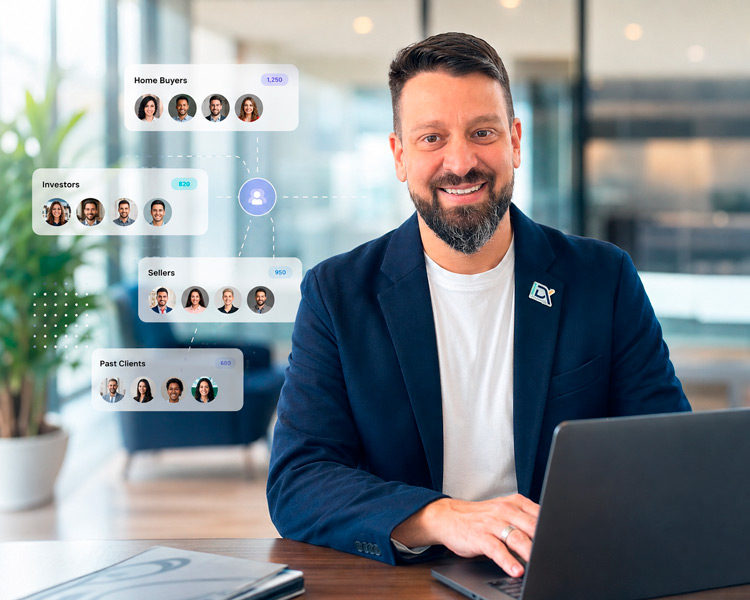
Depending on your CRM setup, that information might come from things such as:
Tags
Smart Lists
Custom fields
Forms and surveys
Pipeline stages
Appointment activity
Contact status
Products or services
Previous actions
Campaign engagement
The objective isn't to create hundreds of complicated categories.
It's to identify the distinctions that actually matter to your business.
What Could You Do With Segmentation?
Here are some practical ideas.

Separate Leads From Clients
This is one of the simplest distinctions you can make.
Lead → Sales and nurturing communication
Client → Onboarding, service and retention communication
Your existing clients shouldn't continue receiving messages asking them to become clients.
Segment People by Interest
Suppose your business offers three different services.
Someone interested in Service A doesn't necessarily need a series of emails about Services B and C.
Instead:
Interested in Service A → Service A information and follow-up
Now the conversation feels more relevant.
Identify Leads Who Haven't Booked
Imagine creating an audience of:
Interested leads + No appointment booked
Now you have a very specific group that could receive an appropriate booking reminder or nurture campaign.
Instead of emailing your entire database, you're communicating with people for whom the message actually makes sense.
Find Old Leads
Your database may contain people who expressed interest months—or even years—ago.
Segmentation can help identify groups such as:
Old lead + Never became client
That audience could become the starting point for a reactivation campaign.
You may already have opportunities sitting inside your CRM that simply haven't heard from you recently.
Communicate With Past Clients
Past clients are another valuable audience.
Depending on your business, you could identify:
Previous client + No recent activity
Then send an appropriate message to reconnect, introduce a new service, request another appointment, or simply stay top of mind.

Segment Based on Where Someone Is in Your Process
Your pipeline can also help determine what communication makes sense.
For example:
New Lead → Initial follow-up
Appointment Booked → Appointment reminders
Proposal Sent → Proposal follow-up
Won → Client onboarding
Lost → Long-term nurture or future reactivation
Now your communication changes as the relationship changes.
Segmentation Makes Automation Smarter
This is where things become much more powerful.
Segmentation isn't only about deciding who receives an email.
It can determine which automation should run.
For example:
Contact interested in Service A → Add Service A tag → Start Service A follow-up

Existing client → Exclude from new-lead promotion
Past client + inactive for a defined period → Add to reactivation audience
Instead of creating one giant automation for everyone, your CRM can respond differently based on what you know about each contact.
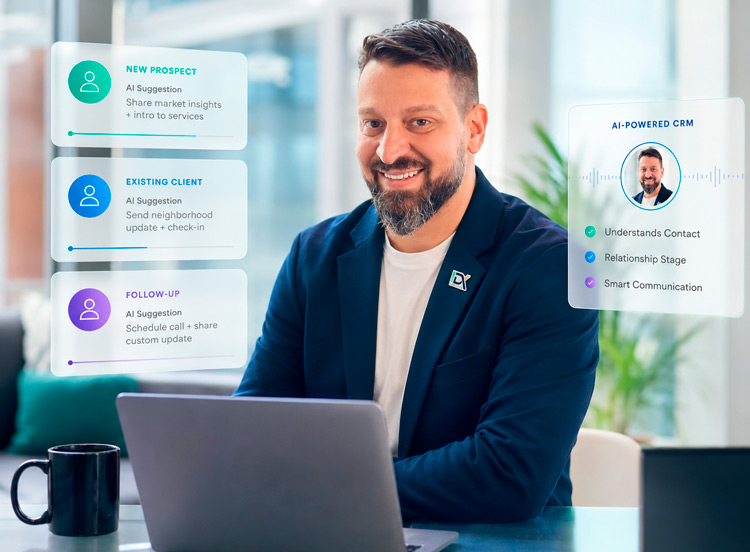
It Can Also Make AI More Useful
As your system becomes more advanced, segmentation can provide useful context for AI-assisted conversations.
A conversation with a new prospect may need a different objective from a conversation with an existing client.
The better your CRM understands who the person is and where they are in the relationship, the more useful your communication system can become.
Think About Your Own Database
Open your CRM and think about the contacts you already have.
Could you easily identify:
New leads?
Qualified leads?
People who haven't booked?
Existing clients?
Past clients?
Old leads?
People interested in a specific service?
People who haven't responded recently?
If the answer is no, segmentation may be one of the most useful improvements you can make.
Don't Overcomplicate It
You don't need 75 tags and 30 Smart Lists.
In fact, excessive segmentation can make a CRM harder to manage.
Start with a simpler question:
Which groups of people should we communicate with differently?
Those are the audiences worth identifying first.
For many businesses, starting with just a few groups is enough:
Leads
Clients
Past Clients
Service/Interest
Inactive Contacts
Then expand only when there is a clear business reason.
Try This in Your CRM
After watching the video, identify one useful audience you would like to be able to find instantly.
For example:
Show me every lead who contacted us but never booked an appointment.
Show me every past client we haven't communicated with recently.
Show me everyone interested in a particular service.
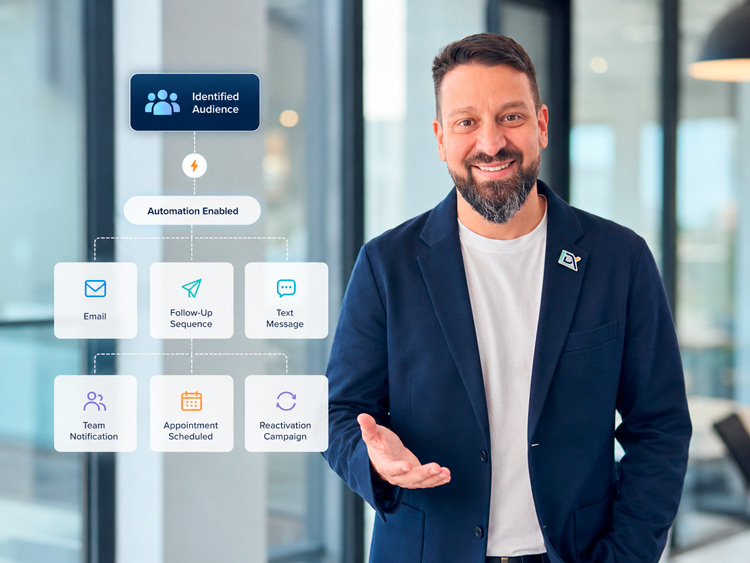
Once you can identify that audience, the next question becomes much more interesting:
What should your CRM do with them?
Send an email?
Start a follow-up sequence?
Send a text?
Notify your team?
Offer an appointment?
Start a reactivation campaign?
That's where segmentation turns into automation.
Want to Make Better Use of Your Database?

IDX can help you organize contacts into useful audiences and connect those audiences to follow-up, campaigns, automations, and other parts of your CRM.
You don't need to know which tags, filters, or workflows to build.
Tell us which group of people you want your CRM to identify—and what you'd like to happen next.
We'll help you determine the best way to build it.
Or simply reply to the email or text you received from us.

Right Person.
Right Message.
Right Time.
Relax, we automate.


GetIDX is operated by Intelligent Digital eXperience, formerly Imagine Digital eXpressions and previously known online as IDX.Marketing. We now specialize in CRM systems, lead follow-up, and automation support for growing businesses.
QUICK LINKS
CRM & RESOURCES
CONTACT US
8865 Commodity Circle Ste 14-101
Orlando – FL 32819
(321) 321-9222


© 2026 IDX. All Rights Reserved. Privacy Policy. Terms of Service. LLMs
© 2026 IDX. All Rights Reserved.